
POS devices
POS devices ready for your business, and payment with a tap.
Pick the SUNMI device that fits you: countertop, tablet or handheld, running Mahjoz POS. And accept cards with a tap on an Android phone.
- E-invoicing, Phase 2
- Genuine SUNMI devices
- Support from the Mahjoz team
Devices
Pick the right device for your business.
Four devices, one for each way you sell.
-
Countertop POS
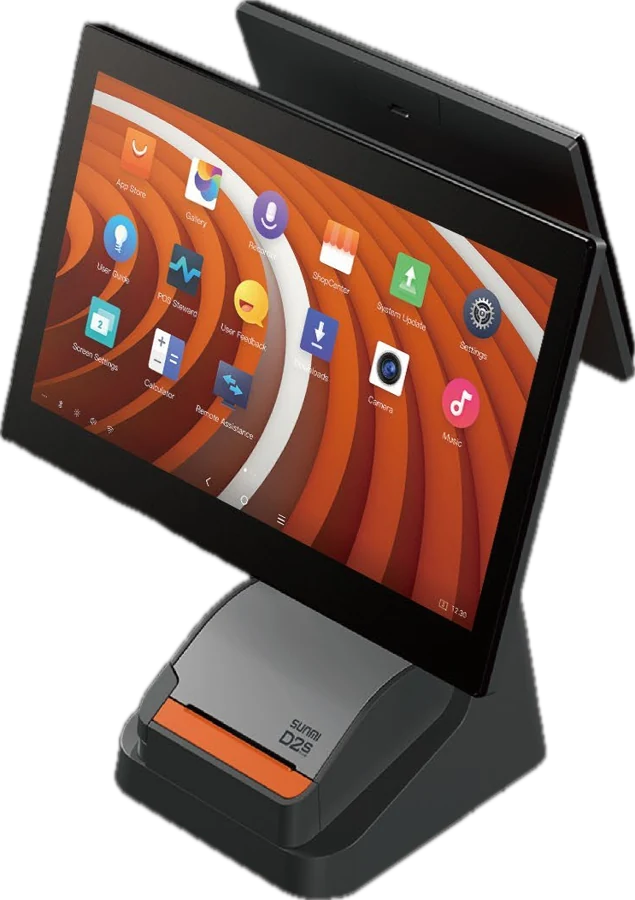
SUNMI D2s PLUS
Two screens and a fast built-in printer, for a busy counter.
- 15.6-inch screen
- 10.1-inch customer display
- Built-in 80 mm printer
- Cash drawer port
Best for: high-traffic shops and centers
-
 Countertop POS
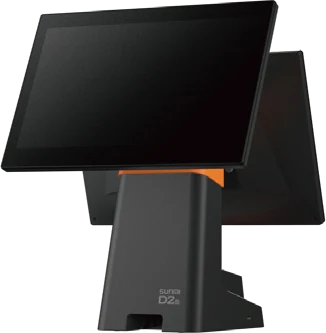
SUNMI D2s LITE
A slim two-screen design that works with your printer.
- 15.6-inch screen
- 10.1-inch customer display
- External printer
- Cash drawer port
Best for: reception counters with limited space
-
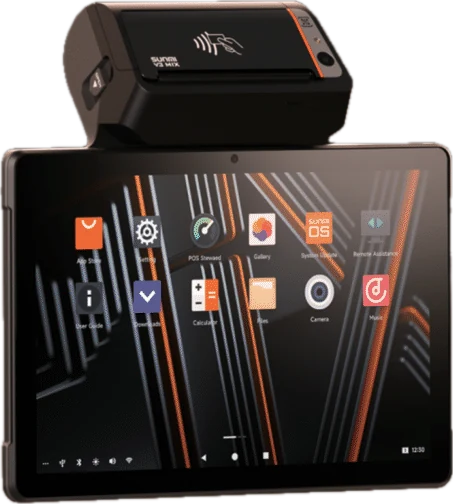 Tablet POS with printer
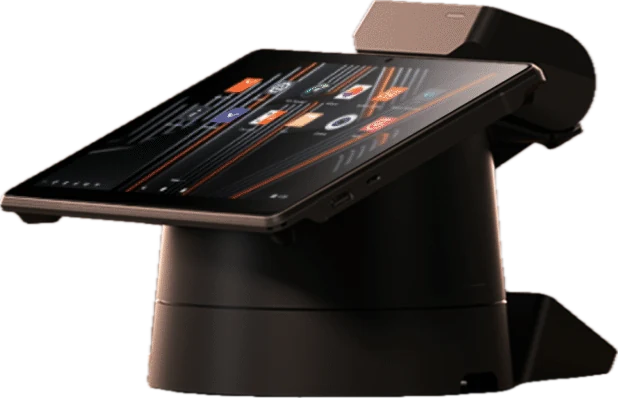
SUNMI V3 MIX
A tablet your staff carry, that docks on its stand at the counter.
- 10.1-inch screen
- Built-in 80 mm printer
- NFC reader
- Barcode scanner
Best for: salons, cafes and table service
-
Handheld POS
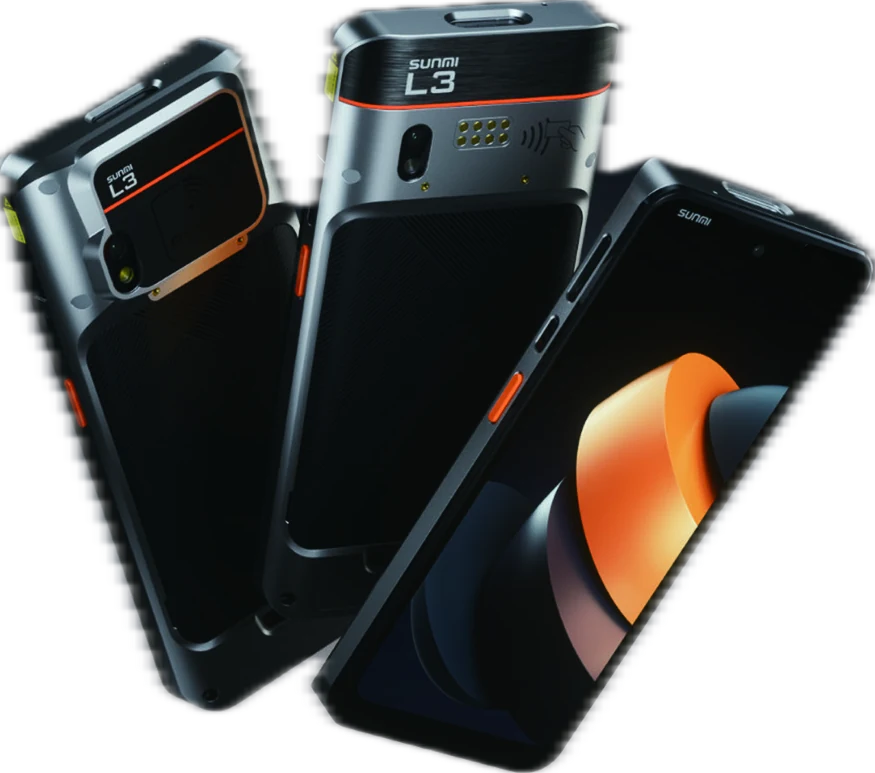
SUNMI L3
A rugged POS phone that takes tap to pay wherever you are.
- 6.75-inch screen
- NFC on both sides
- Barcode scanner
- IP68 water and dust resistant
Best for: on-site service and events
Tap to pay
Tap to pay: your phone is now a payment terminal.
Accept cards with a tap inside Mahjoz POS. We activate it for you on request.
Your phone takes payments
Accepts cards with a tap on an Android phone, with no separate card terminal.
Straight from the cart
The amount comes from the POS cart, so you never type it twice or get it wrong.
A paid order and an invoice
The order is recorded as paid, the invoice is issued and the receipt prints.
Wherever you serve
At the branch, at the table, or at your customer's home.
With Mahjoz
The device is part of your system, not a separate box.
Mahjoz POS on the device is connected to your online store, your customers and your reports.
Every order in the POS
Online store orders and bookings show in the POS next to counter orders.
Staff sign in with a PIN
A 4-digit PIN for each staff member, and a license for each device.
Discounts and held carts
Hold a cart and finish another, and add a discount at the counter.
Shift, drawer and Z report
Open and close your shift, and know what is in the drawer.
E-invoicing
Invoices are sent to Fatoora automatically, Phase 2.
Walk-in queue
Numbered tickets, and call the customer from the POS.
Specs
Compare the specs.
| D2s PLUS | D2s LITE | V3 MIX | L3 | |
|---|---|---|---|---|
| Device type | Countertop | Countertop | Tablet with stand | Handheld |
| Main screen | 15.6-inch FHD | 15.6-inch FHD | 10.1-inch HD | 6.75-inch HD+ |
| Customer display | 10.1-inch | 10.1-inch, touch | 6.7-inch on the stand (optional) | — |
| Printer | 80 mm, 250 mm/s | External | 80 mm, 70 mm/s | — |
| Tap to pay (NFC) | — | — | NFC reader | NFC on both sides, supports SoftPOS |
| Barcode scanner | — | — | 2D scanner | Professional scanner |
| Battery | Mains powered | Mains powered | 2600 mAh, removable | 5000 mAh, removable |
| Connectivity | Wi-Fi, Bluetooth and Ethernet | Wi-Fi, Bluetooth and Ethernet | Wi-Fi, Bluetooth and 4G | Wi-Fi, Bluetooth and 4G |
| Ports | 5 USB, cash drawer, Ethernet | 4 USB, cash drawer, Ethernet | On the stand: 3 USB, Ethernet | USB-C |
| Operating system | Android 11 | Android 11 | Android 13 | Android 14 |
| Durability | — | — | — | IP68, survives 1.5 m drops |
| Weight | 4.2 kg | 3.95 kg | 710 g | 282 g |
Specs are from SUNMI's official datasheets and may vary by device version.
Get your device
Two ways to start.
Order from the store
Know which device fits you? Order it now from the Mahjoz store.
- Genuine SUNMI device
- Works with Mahjoz POS
- Support from the Mahjoz team
Talk to our sales team
We recommend the right device and show you the POS and tap to pay on your business.
- Recommendations for your business and branch count
- A demo of the POS and tap to pay
- Help with setup and training
Frequently asked questions.
Do I need a Mahjoz subscription?
Yes. The POS is available on Growth and above, with a license for each device.
Can I use a device I already have?
Yes. The POS runs in the browser and in the Android app, with Bluetooth thermal printers.
How do I turn on tap to pay?
Ask the Mahjoz team to activate it, and it then shows in the Android POS.
Are the invoices ZATCA-approved?
Yes. POS invoices are sent to Fatoora automatically, Phase 2.
Sell anything.Run everything.Grow every customer.
-
WebsiteFor your customers
-
DashboardFor you
-
Staff appFor your team
-
POSFor your team
-
Customer appFor your customers
Run your whole business on one platform. Talk to our sales team and we'll show you Mahjoz working the way it would in your business.
- Free demo
- No commitment
- No commission on your sales
+966 58 150 4066 · info@mahjoz.io